
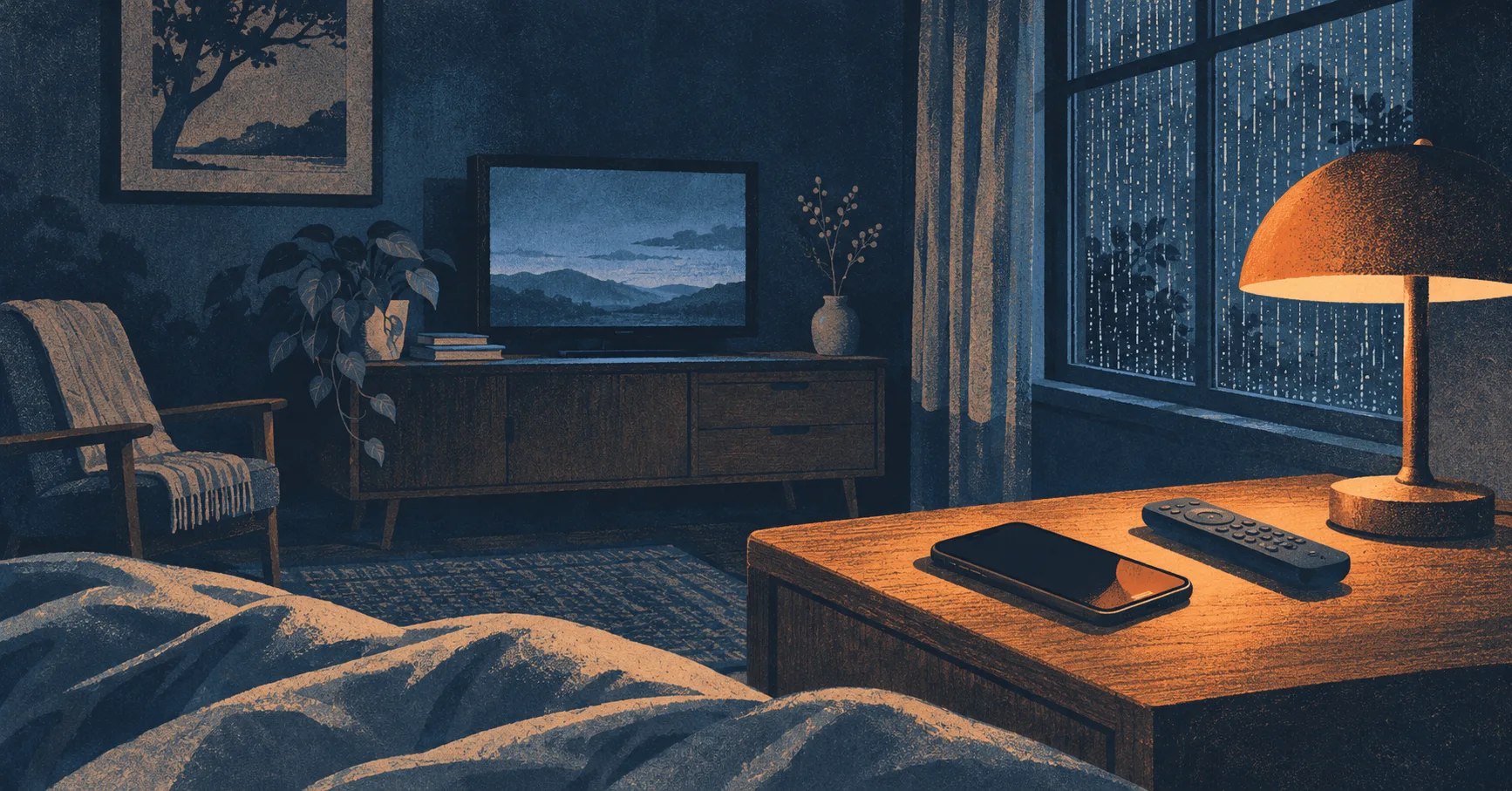
A small iPhone app, a passing car, and a lot of work to get the quiet part right.
I like falling asleep with the TV on. I also like having rain or some other soothing background sound playing afterward. What I wanted was a way to move between the two without having to pick up my phone when I was already half asleep.
That was the idea behind NightFlow. Put your iPhone on the nightstand, start listening, and leave your show on. When the room has been quiet long enough, the app gently fades in a sleep sound. The TV's own sleep timer handles stopping playback, and NightFlow handles what happens afterward.
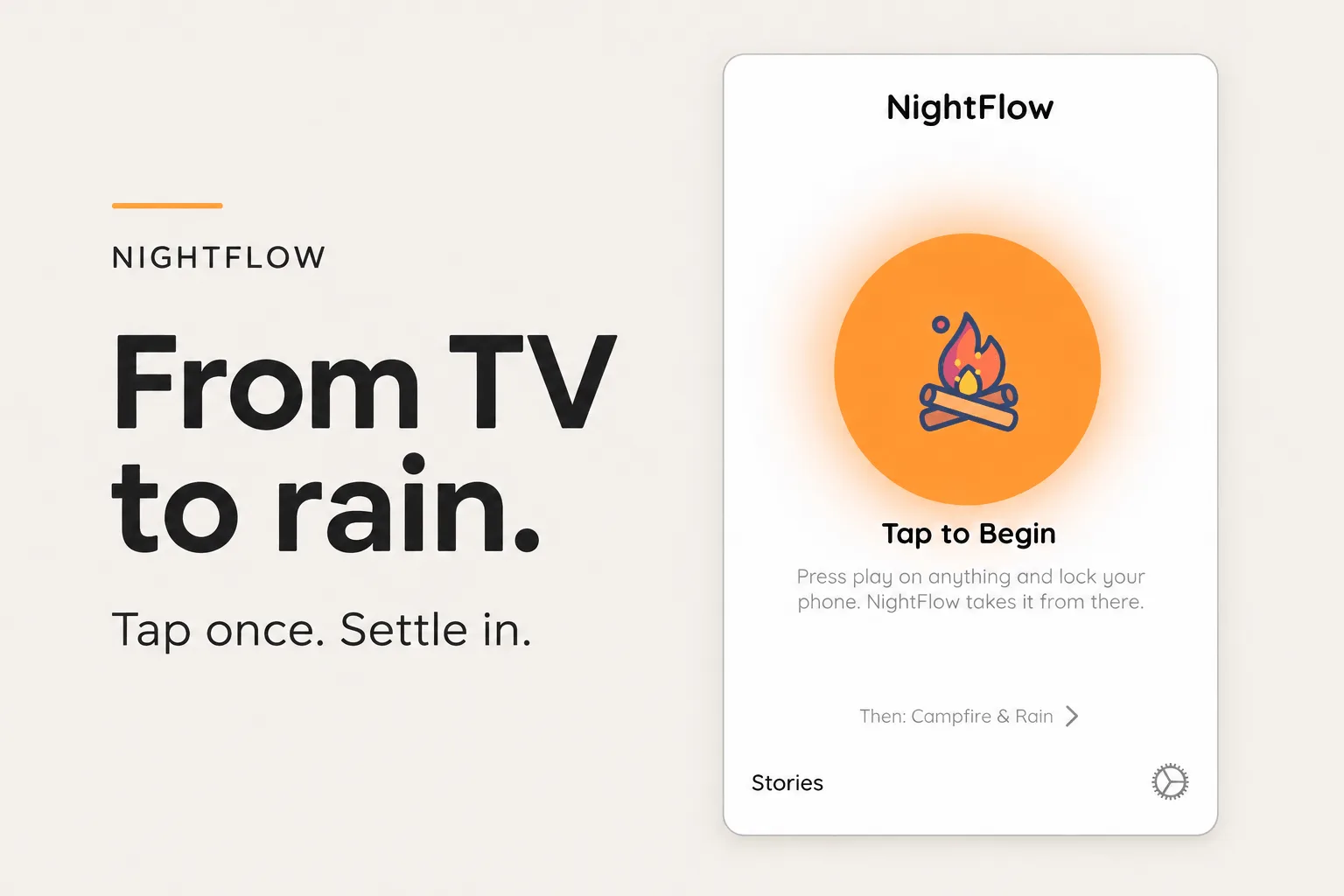
It seemed like a small app to build. Listen for sound, wait for silence, play rain. I had a use for it myself, which is usually enough to get me started on a project.
As it turns out, there are quite a few ways for a bedroom to be quiet. There are also plenty of ways for a TV to sound like it has stopped when it hasn't.
I started NightFlow in early 2025 and got through the first App Store submissions in about ten days. Looking through the commit history, a lot of that work happened between 2 and 4 in the morning. Building an app to help with bedtime apparently didn't do much for my own bedtime during that stretch.
The early commits include “Yeeted the sensitivity settings” and “Tons of updates, we're almost good to go.” By March, I was breaking apart the “monolithic TVManager,” which gives you some idea of how that optimism held up.
After a long quiet stretch and some stability fixes, I came back to NightFlow this November on a new laptop, with much better AI coding tools available. Over about a week, I rebuilt the detection behavior, added Lock Screen updates, fixed the audio loops, and expanded the app with narrated stories.
The most interesting part of all that work was still the original question: how do you tell that the TV has actually stopped?
The first approach combined speech recognition with audio levels. When speech stopped and the room got quiet, it could start waiting to bring in the rain.
That got the idea moving, but dialogue is only part of what comes out of a TV. There's music, laughter, applause, and sometimes a very long scene where nobody says anything. Meanwhile, a car driving by or a train outside can make plenty of noise without having anything to do with the show.
I eventually moved to Apple's SoundAnalysis framework, which classifies sounds on the device. The app could look for speech and music without needing to transcribe the words being said.
There was a humbling discovery during a later audit: seven of the ten labels the old implementation was checking weren't actually in the classifier's vocabulary. Names like television, radio, and movie sounded reasonable, but the model wasn't going to return them. Of that original list, only speech, music, and singing could match.
That's a particularly sneaky kind of bug. The code looks understandable, it runs, and some of it even works. It just doesn't mean what you think it means.
The newer approach groups sounds according to what they should do to the bedtime routine. Speech, music, laughter, and applause provide evidence that media is still playing. Steady room sounds, like a fan, rain, or breathing, can count as quiet. Brief interruptions, like a passing car, cough, or door closing, can pause the countdown.
That last distinction made a big difference. If the room has been quiet for twenty seconds and a car passes, throwing away those twenty seconds is frustrating. The app should let the car pass and continue waiting. A sustained interruption or the TV actually coming back can still reset things.
These two branches from the Swift state machine show the difference between adding quiet time and pausing it:
case .advance:
let required = configuration.minimumQuietDuration
quietProgress = min(required, quietProgress + evidence.hopSeconds)
consecutiveNonQuiet = 0
latestIsQuiet = true
case .pause:
consecutiveNonQuiet += evidence.hopSeconds
latestIsQuiet = false
The pause branch leaves quietProgress alone. Choosing thirty seconds means accumulating thirty seconds of qualifying quiet. An interruption can make the overall wait longer without sending you back to the beginning. Other branches can reduce or clear progress when needed.
Another problem came from the way I was actually using NightFlow. The TV was already playing when I tapped Begin.
An earlier version spent thirty seconds “learning your room.” That sounds sensible until you realize it's trying to learn a quiet baseline from a room where someone is already watching television. A soft scene can become part of that baseline, which makes the next soft scene easier to mistake for silence.
I removed the dedicated calibration wait and worked on estimating the background while listening. The app has to start from the room it gets. Asking someone to turn off their TV, calibrate the app, and then start watching again would be a strange bedtime routine.
I also tend to keep the TV fairly quiet. At one point, detection worked reliably if I turned the volume up just one extra step on the remote. I could understand every word at the lower volume, so having to make it louder for the app was a useful sign that something needed fixing.
The next version leaned harder on speech and music, and overcorrected: faint speech classifications kept restarting the wait after the TV had stopped, so I'd set thirty seconds and still lie there waiting for the rain. The fix was to compare the room against the TV level the app had recently heard. Once it drops about 8 dB and stays there for two seconds, faint classifier noise counts as quiet, while strong speech or music still means the show is back.
Testing that only at bedtime made for a slow cycle, so I added repeatable scenarios like “Car passing pauses countdown” and a replay harness that runs recorded audio through the real detection pipeline. They can't cover every bedroom, but along with an on-device debug overlay and exportable decision logs, they give me something more useful to work with than “the rain didn't start last night.”
Getting the handoff right also meant looking at the sound that comes afterward. I noticed a little jump each time the rain loop restarted. In an app meant to run quietly for hours, a recurring jump is hard to ignore once you've heard it.
The recordings didn't meet cleanly at the ends, and MP3 encoder padding could introduce a gap. I prepared the files with a six-second crossfade, adjusted the levels around the join, and moved the bundled tracks to AAC in an M4A container.
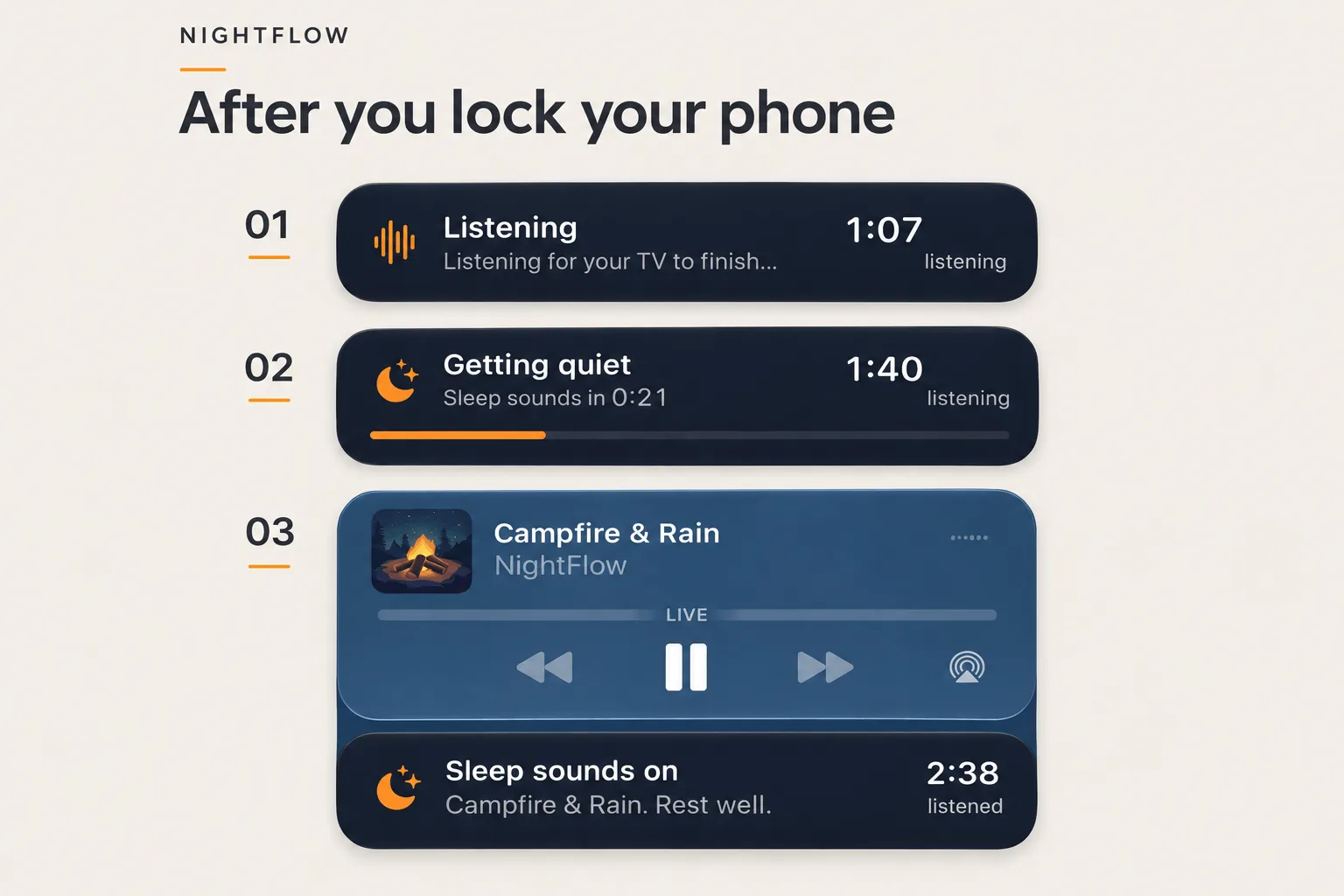
Then there was the question of knowing whether the app was still doing anything after locking the phone. I added a Live Activity for the Lock Screen and Dynamic Island, showing whether NightFlow is listening, counting down, or briefly paused for a sound.
The first version kept its activity going after the rain had started. My reference point for fixing that was Grubhub: once the food has arrived, the delivery activity has finished its job. NightFlow's listening activity should mark its job as finished when playback begins, with the normal Now Playing controls taking over.
Once the original flow was in better shape, I wanted another way to settle in on nights when I didn't want to start with the TV. That's where Stories came in.
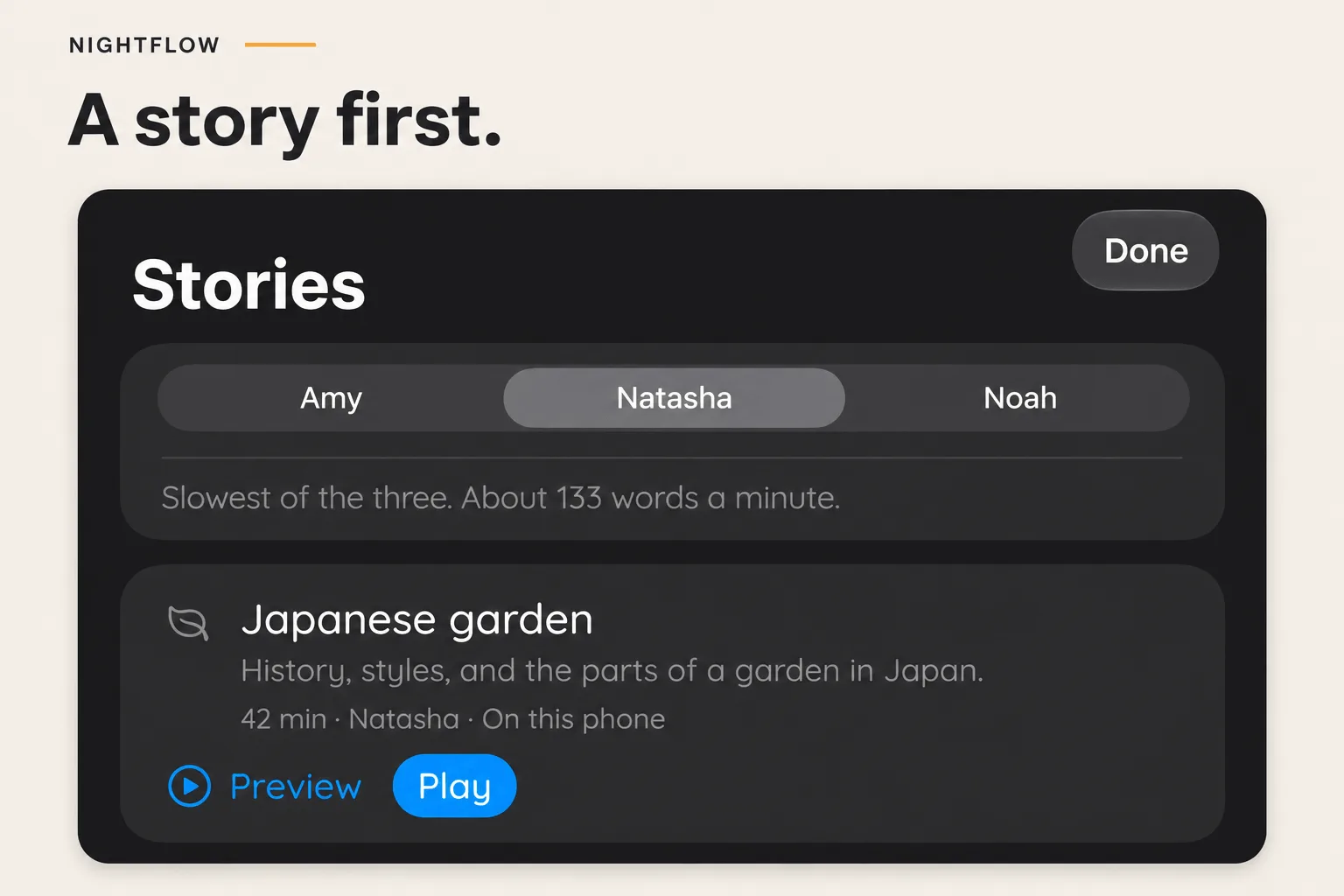
The first collection is a small set of factual narrations adapted from Wikipedia: Japanese gardens, bookbinding, moss, the Japanese tea ceremony, and clouds. Each has three voices to choose from. You can start a story yourself, or have NightFlow begin one when the room goes quiet, then fade into your selected sleep sound afterward.
I wanted Stories to fit into the app without making every returning user navigate a new content library. The main screen still starts TV listening with one tap, Stories opens in a sheet, and the “Then:” line on Home explains the plan for when the room goes quiet. You can choose up to four stories and decide whether NightFlow stops or fades into a sleep sound at the end. There are no streaks or badges, and the app doesn't keep picking more things for you.
A preview shouldn't change your bedtime plan or start rain just because you listened to twenty seconds of moss. And the microphone stays off throughout a story, including pauses, so a quiet sentence in NightFlow's own narration can't trigger another handoff.
I also enjoyed catching a mismatch in the voice descriptions. A provider described one narrator as slow, but when I measured the finished recordings, he was the quickest of the three. I used measured speaking pace in the picker instead. The previews let people decide what they like hearing.
Producing the stories became its own small project: a Python tool that pulls a specific Wikipedia revision, tracks attribution, and generates narration through ElevenLabs and Cartesia, with spending limits. One rule mattered more than I expected: a failed connection doesn't mean a failed generation, so if the provider might already have charged for a chunk, the tool requires an explicit retry instead of paying twice. A versioned catalog lets me add stories without an app update, and the original sleep sounds still ship in the app for offline use.
Since NightFlow uses a microphone in a bedroom, I also wanted the privacy explanation to be specific. Room audio is analyzed on the phone without being recorded or uploaded. Crash reporting and usage analytics are separate, enabled by default, and can be turned off in Settings, which also deletes queued events. On-device listening shouldn't imply that the app never makes a network request.
On the website, even the wording needed care: “Press play” suggested audio would start immediately, while “Tap to listen” explained what the app was about to do.
NightFlow 1.5 made it through App Review while I was writing this. It’s on the App Store for a one-time purchase of $2.99. No subscription, no ads, and no account to create.
Most of this work came from little things I noticed while using NightFlow myself: one step on the TV remote, a passing car, a loop that didn't quite meet, a status card that stayed around too long. I'm happy with how much the app has grown while keeping that original routine intact. You can still open it, tap once, and go back to whatever you were watching.
If you also like falling asleep with the TV on, you can take a look at NightFlow. I'd love to hear how it behaves in your room, especially if your version of quiet is a little different from mine.